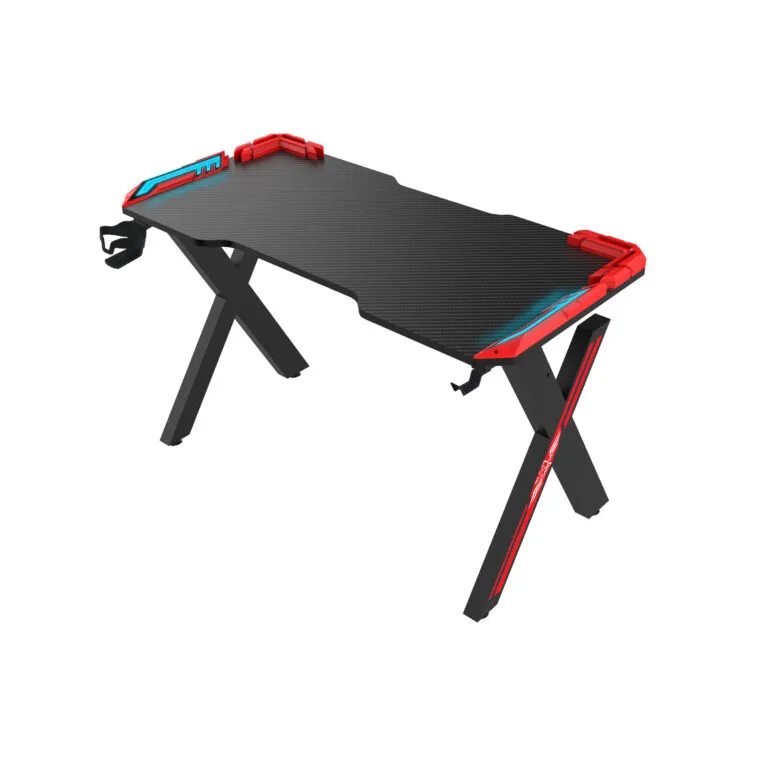
gaming desk accessories should be approved as part of the complete desk configuration. Check mounting positions, underside clearance, hardware and packaging before adding trays, hooks, cup holders or monitor supports to a custom order.
This guide is for brands, distributors and project buyers working with a gaming furniture manufacturer. Confirm customization options, quantities and approval steps for the specific order.
Map gaming desk accessories on the drawing
Place each accessory on the same drawing as the desktop and frame. Show the mounting method, fastener location and required clearance. Include the intended monitor arm or equipment model when its fit matters to the setup.
For a private-label range, distinguish included accessories from optional add-ons. This prevents a quotation or carton list from implying that every item shown in a product photograph is supplied with every variant.
Check shared mounting space
Several accessories may compete for the same area beneath a desk. A cable tray can obstruct an arm clamp, while a hook can interfere with a side frame member or chair movement. Review the full arrangement instead of checking each item separately.
Ask the manufacturer to confirm desktop thickness, underside obstructions and suitable support at the mounting point. A general desk load rating does not establish that every clamp or concentrated load is compatible.
Match hardware to the assembly instructions
Identify the supplied brackets and fasteners with clear part references. If an accessory can be fitted in multiple positions, the guide should explain the approved choices and any limits. Avoid leaving the customer to infer the correct screw from appearance.
Review whether the accessory is fitted before or after the frame is tightened. Test the sequence with someone unfamiliar with the product and record where access becomes difficult. Resolve those issues in the sample stage.
Quote variants and packing together
List quantities by accessory combination. Ask which items use standard parts and which require changed tooling, finish or packaging. Confirm minimum quantities and one-time charges for the actual configuration.
Review how accessories are separated from the visible desktop inside the carton. Keep their labels, parts list and instructions connected to the same product revision. A late accessory change can require a revised packing arrangement.
Gaming desk accessories checklist
| Review point | Evidence to keep |
|---|---|
| Mounting | Drawing with positions and clearances |
| Hardware | Bracket and fastener references |
| Equipment fit | Specified arm or device requirements |
| Packaging | Accessory quantities and protected locations |
Frequently asked questions
Can a monitor arm fit any gaming desk?
No. Match the arm’s mounting requirements to the desk construction, thickness and available clearance.
Can accessories be customized for a small batch?
Ask the manufacturer to confirm the changed parts, finish, quantity and setup charges together.
Should optional accessories appear on the main parts list?
Identify them clearly by configuration so customers and inspection teams can distinguish included items from add-ons.
Read our custom desk specifications checklist for the related planning step. Browse the Strong Hand gaming desk range and send your project requirements and initial quantities for a quotation.