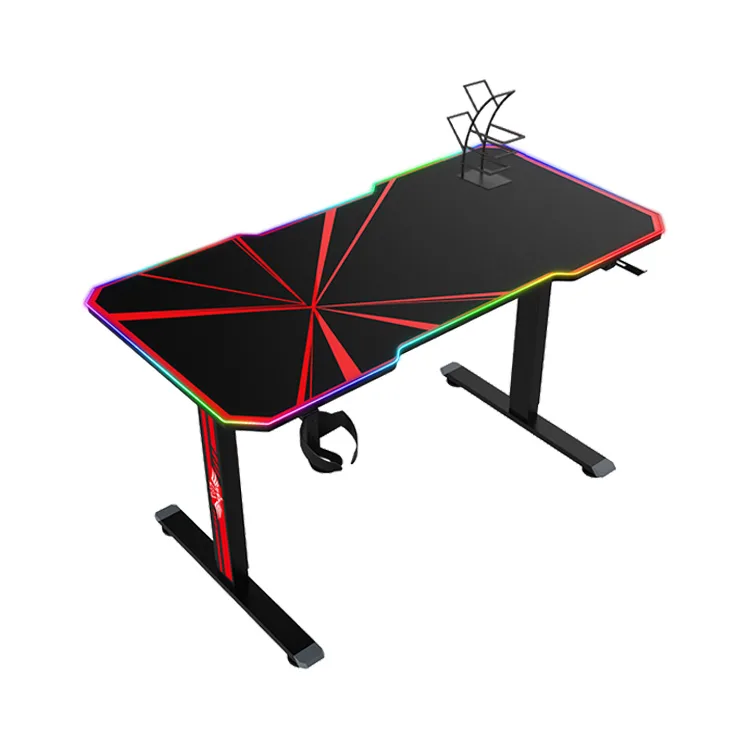
A split desktop gaming desk uses more than one desktop section, so buyers should review the joints, support and assembly sequence as part of the finished product. Confirm the actual configuration and packing data before comparing it with a one-piece desktop.
This guide is for brands, distributors and esports projects working with a gaming furniture manufacturer. Confirm custom options, minimum quantities and approval requirements for the specific configuration.
Identify the split desktop gaming desk construction
Ask the manufacturer to show how many panels are supplied, where they join and how they are supported. Record the material and finish of each section separately from decorative product naming.
Show the equipment layout on the same drawing. Note whether a monitor stand, clamp or other load sits near a joint. Request configuration-specific confirmation rather than assuming the joint behaves like an uninterrupted surface.
Inspect alignment on a physical sample
Assemble the sample using the supplied instructions and hardware. Review the joint location, panel alignment and visible finish under consistent conditions. Record what was accepted and any issue that requires correction.
Check the usable surface with the intended mouse mat, keyboard and equipment. Avoid converting a visual review into an unsupported claim about long-term strength or sensor performance. Ask for relevant evidence where a performance statement matters to the project.
Review hardware and instruction clarity
Identify the brackets, fasteners and order of assembly needed to connect the sections. Confirm that the manual describes the exact configuration. Similar desk designs may use different joining hardware or support positions.
Have an unfamiliar reviewer follow the instructions and note where orientation or tightening order becomes unclear. Report the part reference and instruction step to the manufacturer. Use the supplied assembly guidance rather than improvising fixes.
Compare packaging with confirmed figures
Request external carton dimensions, gross weight and carton count for the approved packed arrangement. A divided top may change packaging possibilities, but its actual logistics effect depends on the full product and protection needed.
Compare quotations on the same product, accessories and delivery scope. Retain the approved panel, joint, hardware and packing revisions for future orders. A changed desktop size can require another review of support and packaging.
Split desktop gaming desk checklist
| Configuration detail | Buyer check |
|---|---|
| Panels | Count, dimensions and material description |
| Joints | Location, supports and joining hardware |
| Surface | Alignment and finish on assembled sample |
| Equipment | Loads and mounts near the connection |
| Packing | Confirmed carton count, dimensions and weight |
Frequently asked questions
Does a split top automatically lower shipping cost?
No. Compare confirmed packing data and logistics quotes for the complete configurations.
Can a monitor arm clamp near a joint?
Ask the manufacturer to assess the exact desk construction and arm mounting requirements.
What should be retained for reorders?
Keep panel drawings, joining hardware, sample approval, instructions and packing revisions together.
Read our shipping data checklist for the related planning step. Explore the Strong Hand gaming desk range and send your configuration and initial quantities for a quotation.