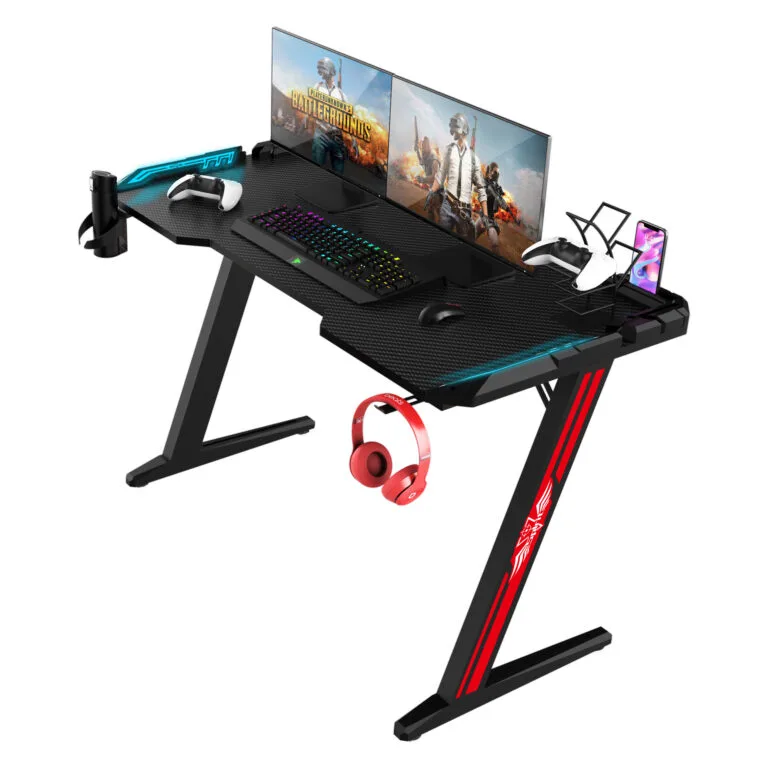
A gaming desk monitor shelf should be checked against the actual display stand, desk layout and mounting arrangement. Its width alone does not establish that the screen setup will fit or that the remaining desktop space suits the intended user.
This guide is for brands, distributors and esports projects working with a gaming furniture manufacturer. Confirm custom options, minimum quantities and approval requirements for the specific configuration.
Map the gaming desk monitor shelf layout
Record the shelf dimensions and position relative to the desktop edges. Show the monitor stand footprint and any speakers or accessories intended for the shelf. Identify the areas that must remain available for input devices.
For multiple screens, draw the complete arrangement rather than adding nominal screen widths. Angled or portrait displays may use space differently. Check the intended viewing setup with the actual equipment on a sample.
Review support and mounting details
Ask which equipment arrangement the shelf specification covers. Confirm the shelf construction, supports and attachment method with the manufacturer. A general desk rating should not be treated as a separate shelf capacity.
If monitor arms are planned, review their mounting requirements independently. A shelf bracket, rear frame member or shaped edge can obstruct a clamp. Ask for an underside drawing and confirm the intended mounting location before production approval.
Keep cable and service access available
Inspect how display cables leave the shelf area and reach trays, power or network connections. Check that plugs can be inserted and removed after the equipment is placed. A cable opening is useful only when its position fits the actual route.
For an adjustable desk, review the shelf and connected equipment through the approved travel range. Follow the manufacturer’s operating instructions and resolve movement or clearance questions on the sample.
Specify variants and assembly clearly
If the shelf is optional, identify which desk configurations include it and how the parts and instructions differ. List quantities for each combination in the quotation request. Confirm minimums and charges for changed shelf dimensions or finish.
Have an unfamiliar reviewer assemble the supplied configuration. Record fastener references, orientation questions and access problems. Keep the approved shelf, hardware pack and packaging arrangement connected to the same product revision.
Gaming desk monitor shelf checklist
| Shelf review | Evidence to retain |
|---|---|
| Equipment fit | Stand footprints and screen arrangement |
| Support | Shelf-specific construction and limits |
| Mounting | Arm clamp and bracket clearances |
| Cables | Connection access and routing |
| Assembly | Correct hardware and instruction revision |
Frequently asked questions
Can every monitor stand sit on a shelf?
No. Compare the complete stand footprint with the usable shelf surface and the supplier’s limits.
Does a shelf replace a monitor arm?
They are different mounting arrangements. Evaluate each against the intended setup.
Can shelf size be customized for a pilot order?
Ask the manufacturer to confirm support, hardware, packaging, quantities and sample review for the change.
Read our accessory compatibility guide for the related planning step. Explore the Strong Hand gaming desk range and send your configuration and initial quantities for a quotation.